HOW TO EFFECTIVELY MONETISE YOUR PODCAST FOR BIG PROFITS
In this article, we will explore the reasons why you should be monetising your blog, the different ways you can do this, and discover tips for launching a popular podcast that draws in new listeners every month, along with examples of effective podcast monetisation strategies.
Sound good? Grab a coffee and let’s get to it…
WHY YOU SHOULD MONETISE YOUR PODCAST
Monetizing is not only about obtaining podcast sponsors. You can earn money through podcasting by selling premium content, promoting affiliates, creating products and services, promoting your business, accepting donations or crowdfunding, or in other ways. Here are compelling reasons for monetising your podcast:
Cost of podcasting:Whether podcasting is a hobby or business, there are ongoing costs or one-time expenses. These expenses typically amount to around $20 to $30 per month. If you’re unable to cover these costs, monetising can sustain your podcasting efforts.
Improvement costs: Improving aspects of your podcast such as education, equipment, or additional help requires financial support. Upgrades like a faster computer, better microphone, or improved software enhance podcast quality.
Sustainability through revenue generation: Covering podcasting expenses alleviates stress and allows focus on creating consistent, high-quality content.
Value for quality content: Rewarding your effort in creating high-quality content is essential. Listeners recognize and appreciate the value of well-produced content.
A part of business:If podcasting is crucial to your business’s survival, making it profitable is vital. Direct ROI measurement may be challenging, but consistent, high-quality content serves as effective promotion.
Returns from the audience:Offering free content often prompts audience members to support financially, evidenced by successful crowdfunding campaigns.
12 WAYS TO MONETISE YOUR PODCAST
There are a number of ways in which you can make money through podcasting. So if you have a passion for podcasting, you may as well consider these ways of monetizing your podcast. But make sure to start your podcast the right way.
MONETIZATION #1: LEAD GENERATION
A podcast serves as a very potent lead generation tool. It can be leveraged to educate your customers regarding new services and products and attract traffic to your website. Moreover, through podcasting you can create a personal connection with people, which is not possible through any other promotional medium.
When your podcast is downloaded, people are spending time, maybe minutes or hours, with your voice sounding in their ears. Through this listening activity, a bond is created. This bond brings with it a kind of trust that written words often fails to do. This trust you can convert into leading your audience to buying recommended products or services for which you take a commission.
MONETIZATION #2: SPONSORSHIPS
Sponsorships offer you one of the easiest ways of earning money because you simply get paid for promotion. Sponsors are not interested in your audience size, but the level of engagement of your audience, and how likely it is that they would act on the sponsors. The majority of podcast sponsorships pay off on the basis of the number of thousand impressions you receive, and the number of actions taken or they may also consider a flat rate.
The most significant aspect of any sponsorship style is the relevance it has to the audience. For instance, Audiobooks.com and Audible.com have achieved great success due to the appeal that their audiobooks have to anyone.
Prior to approaching a sponsor, remember that the presentation, production and content of your podcast should be of high quality. Moreover, you must understand your audience.
MONETIZATION #3: AFFILIATE RELATIONSHIPS
Apart from directly monetizing your podcast, you can leverage the platform for building relationships with people who can be outstanding affiliates. A considerable amount of rapport can be created by spending some time (say, one hour) for an interview. Through nurturing relationships with those whom you interview, you may rope in a number of excellent affiliates.
If an organization has no affiliate program as such, a coupon code can be negotiated with them. In this way, you may get a part of all the orders through that particular coupon code. A promo code is a good option since it acts as a great incentive.
MONETIZATION #4: PRODUCT RESALE
You may try to earn 4 to 8 per cent from other sites, but it would be great if you can resell yourself. Through reselling, the same items could help you get as much as 50%. This procedure is known as ‘drop shipping’. If you are unable to beat the price, consider beating the value. This extra value could be made through recording some secrets, a video showing the procedure of any setup or any other thing, which your audience might not get elsewhere.
MONETIZATION #5: PRODUCT CREATION
This is one of the most effective ways of making money. Once you invest the resources and time for making a product, 100% of the profits would come to you. It has been seen that the most profitable podcasters are leveraging their courses or products for generating income. For instance, Cliff Ravencraft is podcasting digital products and A to Z while Lou Mongello is podcasting unofficial Disney products.
When you are creating your first product, it is advisable to promise less and deliver more. If you start off small, you can also gain long-term success as people are gradually exposed to your value creation. Remember that 80% of the audience will opt for freebies, but the remaining 20% would generate 80% of the income.
MONETIZATION #6: SERVICES OR COACHING
You may have expertise in consulting and coaching on a one-to-one basis. It is true that a number of people would derive more benefit from this personalized coaching instead of a group one. You will have to start off with a small value, but the same will grow as you become experienced and gather a reputation.
If you feel that you do not have so much expertise as a teacher, you might offer some service. For instance, you might get hired on an hourly basis to teach somebody a particular subject. Or else, you may also get hired to do something for someone that involves your area of expertise. People would be more eager to pay for solutions rather than pay for time.
MONETIZATION #7: DONATIONS
Once you have a podcast, making money through donations will only be possible once you have a loyal and passionate fan following. Once you get donations, do not forget to thank the audience for the support that they have rendered. This will make them feel that they are a part of the show. For a more successful campaign, make your supporters feel that they are exclusive. You may do some funny activity for them or especially thank them in your episodes.
MONETIZATION #8: PREMIUM CONTENT CREATION
This was one of the very sought models in the early podcasting days, but a lot of podcasters are using this even today with great success. If your audience pays for a subscription, you can give them premium content in the form of exclusive community, exclusive episodes, back-catalog for episodes and lots more.
This model might not suit everyone because some podcasters are unwilling to sell their previous episodes since every episode is a promotion of their expertise.
MONETIZATION #9: SELLING OF MASTERMIND SLOTS
When people listen to your podcast topic and are interested in it, it is an indication for your audience to like your content and their preference to hear more about this particular topic. Your job is to create a mastermind of similar minded people who are interested in learning more regarding the topic of your show. After this, you may consider obtaining individual support.
MONETIZATION #10: EBOOK SALE
Selling ebooks is a difficult task. With each passing day, an increasing number of authors are trying their luck at Amazon Kindle. Given this, if you build a solid relationship with the book and ebook readers through the medium of podcasting, your job becomes easier as you get an opportunity to stand apart from others.
There are, in fact, many, who have succeeded over Kindle, although starting off from scratch, through interaction and consistent communication with their book readers. Podcasting is, in fact, a great way for the cultivation of a relationship and creation of a loyal fan following of people who wish to purchase your books.
MONETIZATION #11: IPHONE APP SALE
You may offer free classes on your podcast. In association with that, you can sell an app and earn some bucks. For instance, say you are a yoga instructor providing free yoga classes through your iPhone. Through the app, you can enable people to get anytime access to your yoga classes and also sell material depicting the sequence of your classes.
MONETIZATION #12: EVENT HOSTING
Decide upon the category of people whom you would like to attract to your events. You can go then for the creation of content where you would get a response from them. In the podcast, declare the events (whether offline or online) you will be hosting.
TIPS FOR MANAGING A GREAT PODCAST SERIES
If you are thinking of monetizing your podcast, you must ensure that it is of high quality. Here are some valuable tips to help you launch a great podcast.
PROVIDE CLEAR DIRECTION ON SUBSCRIPTION
There are many people who are not even aware of what podcasting is, leave alone subscribing to a podcast. Hence, it would be great if, once each episode of your podcast ends; you can offer clear-cut direction regarding subscription to your show. Your listeners or viewers would copy-paste them for future use.
SEND LINK EMAIL FOLLOWING GUEST INTERVIEWS
A number of people can be interviewed on your podcast. Once the interview is over, some might send you traffic by linking to the interview while others might not. You can convince these people to link to you from their social media accounts and websites, by doing the actual job on their behalf. You may create some social media posts (say for Google Plus, Facebook, etc.) for them and write a thank you mail asking them to share the same.
GIVE SOMETHING IN EXCHANGE FOR REVIEWS
Reviews may help you in getting a good podcast ranking in iTunes. But it is quite difficult to get people to write reviews. You need to offer something to people in exchange for positive reviews. For instance, if you are offering an online course, you might give out some lessons for free for those who write reviews for you.
GET THE BEST OF ‘NEW AND NOTEWORTHY’
There is a prominent display segment in iTunes for podcasts that are ‘New and Noteworthy’. Once your show is launched, your podcast will be highlighted in this area for a portion of the initial 8 weeks. Once the first 8 weeks are over, you would not be visible in this area. These 8 weeks are very crucial for you, and you must use them in the best manner possible.
USE COMMENTCAST
So far as iTunes is concerned, there is country-wise separation. This implies that if you are from the US and somebody from Canada writes a review for your podcast, people in the US will not be able to see it. To overcome this issue, download CommentCast. This is a free software enabling all the reviews to be viewed from around the world. You should be aware of reviews coming from other countries since this gives you the whole picture.
PREPARE ATTRACTIVE ARTWORK
The artwork representing your show is visible on iTunes, along with the creator and the name of the show. In fact, users browse through a display of thumbnails for choosing a new show. Quality artwork has a major role to play in the success or failure of a show.
READ NEGATIVE REVIEWS OF COMPETITORS
Reading negative reviews of other podcasts belonging to the same industry will give you an idea of what mistakes you should avoid. Also, if you carefully read the negative reviews, you will also come to know about ways in which you can impress your listeners.
INCLUDE SEVERAL SEGMENTS
If you do not include segments, your podcast narration will ramble. By inclusion of segments in the show, you can make the content more useful and keep the produce more structured. Segments do away with the rambling leading you as you proceed. Examples of segments include recommended resources or products, listener questions, listener feedback for previous shows, book reviews, interviews with industry experts, as well as news.
USE A GENERIC NAME
Podcast listeners have two short pieces of text, the name of the creator and the title of the show, at their disposal through which they have to determine which show is worth lending an ear to. If you select a generic name, it would more clearly reveal to your listeners that your show revolves around their area of interest. For instance, for a show dealing with email marketing, the name ‘The Email Marketing Show’ is preferable to the name ‘Email Buzz’.
REAL LIFE EXAMPLES OF PODCAST MONETISATION
JOHN LEE DUMAS FROM ENTREPRENEUR ON FIRE
John Lee Dumas is the host and founder of Entrepreneur On Fire (EOF), a podcast that is based on interviewing top entrepreneurs. The show runs for the whole week. This has been one of the most successful cases of podcast monetizing, with EOF receiving the Best of iTunes award in 2013, for its commitment to sharing valuable insights that give due guidance on entrepreneurship.
One of the most positive aspects of the show is its structured content. The first story shared on EOF is the biggest setback of the guest and the lessons learned from that. The second story revolves around that groundbreaking moment and how things took a turn from there. In the concluding finale, guests are asked a rapid-fire question, through which they share their experience and wisdom.
The podcast has been very popular amongst the audience. As per the monthly income report of December 2014, the gross income generated was $298, 146, with a net profit of $199,451. The income sources were coaching, sponsorship, masterminds, books, affiliate relationships and more.
PROFITCAST ALONG WITH DANIEL J. LEWIS
Profitcast had a hangout with Daniel J. Lewis of the Audacity to Podcast fame. In this show, something unique happened- instead of one person interviewing another, two podcasters co-hosted this specific Profitcast episode. The episode dealt with brilliant monetization strategies that have made some podcasters successful.
This was the lengthiest episode of Profitcast, wherein a lot of strategies were discussed, including the manner in which these strategies work, what would suit you, and how you can get started by leveraging these strategies.
BRING THINGS TO A CLOSE
There are a number of podcasters who are successfully earning millions of dollars from their shows. Once you get a fan following, it becomes easier to monetize your podcast and succeed in the long run. There are numerous opportunities, it is up to you to identify the right path and go ahead with your show.
The lead generation business is booming online right now.
At its core, all a lead gen business does is generate leads for a specific business or company. These businesses may be anything from an international college or vocational school to your local chiropractor or dentist.
Your job in this business is to find your client business qualified leads that they can turn into customers.
HOW DOES IT EARN MONEY?
Lead gen sites can vary, but generally, you earn money for every lead you generate for one of your client companies. It is important to note here that no sale is being made in this process. The lead has not bought anything; rather, they have merely provided some information, or they have picked up the phone and called your client’s business.
Some companies will only qualify someone as a lead if they fill out two forms. Others will only qualify a lead if that lead picked up the phone and had at least a 30-second conversation.
While every lead gen program differs wildly, the premise remains the same. For every qualified lead you send to the business, they will give you a finder’s fee for that lead generation.
THE PROS OF THE LEAD GEN BUSINESS MODEL
The lead gen business model can be lucrative, but it can also be very passive if you are using organic traffic sources, especially similar to those found with AdSense or Amazon affiliate sites.
One of the intriguing things about the lead gen business model is that, unlike other affiliate sites, the lead gen site does not need to follow the affiliate model if you don’t want it to. You could simply set up a deal with local business owners in your area or even outside of your area in other cities.
Many of these business owners will pay you either a monthly retainer fee to keep this lead gen website referring customers to them, or on a purely pay-per-lead basis.
If you operate in a niche where the lead rate is higher than the potential commission on a sale, there is certainly room to earn more money through lead generation vs affiliate marketing. Some of these niches include insurance, legal services, medical services, and finance.
If you do want to go the affiliate route, there are a slew of affiliate programs you can find that are all about pay per lead offers, such as:
Quinstreet and Campus Explorer both qualify their leads by having the leads fill out forms, but Ring Partner is a bit different. Instead of the normal pay-per-lead model, Ring Partner does pay-per-call.
All three of them have dozens of different offers you can use if you decide you would rather go the affiliate route over the direct route of finding business owners who want to pay you per lead.
If you ever plan on selling your lead gen model website, the affiliate model is typically going to be an easier migration process, though, there are obvious benefits to going it on your own, as your payouts will be higher. The downside to this is that your payment system will potentially be less streamlined.
TWO OTHER PROS OF THE LEAD GEN MODEL
Focus on geolocal keywords. These keywords are often easier to rank for than other keywords because there is less competition for the keywords themselves. (E.g. “carpet cleaning in Phoenix + Arizona,” or whatever city and state you’re targeting.)
Can use spun content. As I write, Google still allows duplicate content on local pages and will not penalize the websites using it like they would with a website that is not targeting a local niche. This is currently a loophole, but it is a loophole that has been around for a few years now. It is safe if you “spin” the content, which is just where you put an article into spin syntax. This allows you to turn one article into potentially thousands of articles of unique content. Here is a great article describing spin syntax in more depth.
As you can tell, the lead gen model is pretty fantastic.
If you do decide to avoid affiliate networks and go direct, the lead gen model holds some more advantages over a client-based business.
In a client-based business, a client might not pay you even after all of your search engine optimization (SEO) work has been applied to their website. Compare this scenario with the same one in a lead gen business: if the client does not pay you for the leads or your monthly retainer fee, you can just switch the website over to a new tenant (usually their competition) and give them the leads instead.
Despite this being a fantastic business model, there are also some drawbacks.
THE CONS OF THE LEAD GEN BUSINESS MODEL
While targeted traffic is important in any business model, it is especially important for a lead gen business model. If your lead gen offer is for a carpet cleaning service in St. Louis, Missouri, but you are offering that to traffic that is looking for carpet cleaning in Anchorage, Alaska, your offer won’t convert.
This is why it is very important to target local keywords, even hyperlocal keywords where you break up a city into smaller suburbs. Your traffic will be lower, but the conversions will be much higher.
If you decide to ditch the affiliate route and go direct, you also run the real risk of clients failing to pay. This is not merely annoying. It could also be catastrophic for your website’s earnings if you can’t find anyone else to start paying for the leads in this very specific area or very specific offering.
Moreover, unlike affiliates like AdSense, which have basically unlimited offers, and Amazon, with millions of offers, there are just not that many lead gen offers out there.
This gives you fewer options, especially when targeting hyperlocal traffic with your offers.
BUYING LEADS FROM A LEAD GEN SITE
As mentioned above, you need to be aware that the traffic coming to a lead gen site needs to be extremely targeted in order to convert on these offers. If the offer doesn’t exist in the area that the traffic is coming from, that traffic is worthless.
For this reason, many of these sites operate in a local to hyperlocal context. This means you have some extra SEO benefits that normally do not exist for other business models.
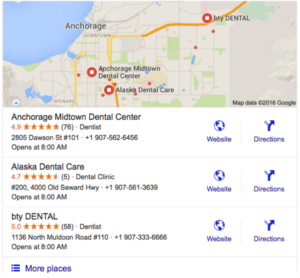
For instance, you can take advantage of getting listed in Google Maps’ 3-Pack. The Google Map’s 3-Pack appears above the main organic search results for local keywords. Often people will click on these listings before any other listings to either get directions to the business or to give the business a call to create an appointment.
If you’re unfamiliar with what the 3-Pack looks like, here is a quick example for dentists in Anchorage, Alaska:
There are several ways to get a lead gen website into the 3-Pack. I would recommend Mark Luckenbaugh’s guide on the subject over at Local Client Takeover, which you can find here.
One of the nice benefits of targeting local searches with lead gen offers is that the competition is going to be less fierce than if you were building a normal affiliate website.
It also makes every town, city, and locale a unique niche for your specific offer, which is pretty cool.
LEAD GENERATION GROWTH STRATEGIES
When it comes to scaling lead gen websites, there are several different strategies you can use to grow them.
LOCAL PAID TRAFFIC
Similar to the uniqueness of local SEO, you have a unique opportunity here to run local paid traffic. It will often have less competition, especially in less competitive cities and smaller towns.
This can be a huge opportunity for the right buyer who is looking to master the paid traffic learning curve.
ADDING NEW CONTENT IN NEW LOCAL AREAS
Since most lead gen websites are not covering every single area that the offer is available in, someone wanting to grow their lead gen site significantly just needs to find all of the locations where their specific offers are available and build those pages.
Depending on the affiliate offers or the direct partnerships, there could be literally thousands of new locations in which lead gen website owners can grow.
Some lead gen websites become so big that they convert over to becoming a directory in and of themselves. This is especially true for those who are monetizing the lead gen website with direct clients versus affiliate offers.
EXPANDING INTO RELATED OFFERS
It is unlikely a website has expanded into every local area with their offer. Even if they have, they could want to add a second offer. In any case, this is a great growth strategy for most lead gen websites.
If you can find an offer that is related to your offer or even adds value to the original offer, then you might be able to create new content around this offer in all of the local areas your website is already featuring.
Your related offer does not exactly need to be location-based, either.
For example, if you have a lead gen website that generates leads for colleges, you might also want to offer an affiliate link to online courses or other educational opportunities.
STEPS TO CHOOSING A TOPIC AND SETTING UP YOUR MEMBERSHIP SITE
For many entrepreneurs, passive income options are the top choice. While they take time to set up, the amount of effort involved drops off once they’re up and running. Even so, for many passive income streams, such as information products, you have to start at zero each month and hope you sell enough to meet your goals.
The ideal online business involves both passive and recurring (continues regularly) income, and one of the best ways to have that is through a membership site.
UNDERSTANDING MEMBERSHIP SITES
Like gym memberships that require monthly fees, membership sites are places where people can join to get whatever it is you offer. Many membership sites offer articles or reports, video tutorials, webinars, checklists, templates, apps or software, and more.
Generally, people join membership sites because they help simplify their lives, speed up learning curves, and/or give them greater detail on how to do something than the general content offered online. For example, there are many online marketing membership sites that delve into specific topics, such as how to write a successful Facebook ad, how to maximize Instagram, and/or how to repurpose content across marketing platforms.
There are multiple pros and cons to starting these kinds of membership sites. Before getting started with one, it’s important to weigh the good with the bad.
Pros
Provides a steady income
Enhances reputation as an authority on the subject
Builds momentum as memberships increase
Frees time with automated updates
Offers a flexible schedule
Cons
Requires diligence to maintain relevance
Requires constant membership recruitment
Requires technical knowledge
Demands frequent updates
PROS OF BUILDING A MEMBERSHIP SITE
Many companies, including Microsoft and Adobe, have begun to use membership or subscription models in their businesses because there are many benefits, including:
Steady income: If you have a monthly membership site and you’re able to retain a good percentage of your members, you can count on regular (recurring) income, as opposed to starting from $0 every month. For example, if you have 100 members paying $30 a month, you can, for the most part, count on $3,000 per month income, as long as you retain your membership numbers.
Builds credibility as an expert: Being seen as the go-to authority in your niche not only increases your membership site income, but can create other income opportunities such as coaching, consulting, or speaking.
Builds a loyal community: If you provide quality content, many of your loyal members will refer new members (you can even offer an affiliate program), and they’ll buy new products or services you offer.
Can be automated: Depending on what you choose to do, you can turn your membership site into a passive income stream that delivers your content automatically.
Offers great flexibility: You can run a membership site anytime and anywhere, as long as you have internet access.
CONS TO RUNNING A MEMBERSHIP SITE
There are a few downsides to building a membership website you’ll want to consider before getting started:
Maintaining relevance: You need to stay current on news and trends in your niche to ensure your members are getting relevant content.
Recruitment: You need to replace any members who quit and keep working to grow your list of members.
Technical know-how required: While some memberships can be run through email, most top membership sites are run online, requiring some technical knowledge or money for tools and services to run it.
Frequent updates needed: Depending on what you offer, you may need to continue to offer new content regularly. For example, if a monthly webinar is part of the membership deal, you need to plan and do a monthly webinar.
TYPES OF MEMBERSHIP SITES
One great thing about membership sites is that there are a variety of ways you can offer one. The basic types of membership sites include:
Courses: Teach members what you know.
Premium content: Articles and reports.
Industry insights: Stay on top of important trends or financial reports relevant to your market.
Curated content or information: Research and gather information—such as daily discounts or coupons—so your members don’t have to.
Digital products: Offer private label right (PLR) content, website themes, apps, or tools.
Community/mastermind group: Help members solve problems or work through issues with peer-to-peer mentoring.
Content in membership sites can be offered in a variety of ways. One is through email. For example, a course can deliver each lesson by email once a week. A daily deal or industry insight might deliver content daily.
Many membership sites have an online members area, where they can access the information. In this case, you can have all your content posted so members can peruse and use at their convenience. You also can provide content on a schedule, such as a new PLR package, training, or webinar once a month.
IDEAS FOR MEMBERSHIP SITES
The ideas for membership sites are endless. The key to success is to find an idea that involves lots of content and that others would pay to access. For example, if you can teach guitar lessons or cake decorating, can you set up enough lessons to make a full course and are there people who will buy it? It’s always best to consider ideas that benefit others, such as saving them time and money, or helping them lose weight or get healthy. Business-to-Business (B2B) membership sites are ideal because even in tough times, many businesses will join and/or maintain their memberships if they believe it will help their business.
HOW TO START A MEMBERSHIP WEBSITE
Membership or subscription-based businesses have many moving parts during the setup, but essentially, here’s what you need to do:
Brainstorm membership business ideas: Make a list of your talents, skills, interests, and experiences. Review the type of membership sites above for help in determining how what you know, love, or do can fit into a membership model. For example, what can you teach? Have you created a great online tool you can sell as a subscription?
Research your favourite idea to determine if there is a demand, as well as if the market is willing and able to pay for it: There are many ideas that the market will say they love, but they might not like it enough to pay for it, or what they’re willing to pay might not be profitable for you.
Plan your membership program: Decide what you’re going to offer, how and when you’ll offer it, and the membership term length. For example, what content will you offer and will it be delivered in PDF, video, or some other method? Many membership sites offer a variety of content delivery methods to make sure they hit all learning styles. Further, will you deliver your content weekly through email or will you have an online membership? If it’s online, will new content be added monthly or will all the content be available at the time of joining? Finally, how long will memberships last? Depending on the content you offer, an end-date might be evident, such as a course. Other membership sites may go on indefinitely until your member decides to leave. Just remember, indefinite month-to-month memberships will require you to offer new content on a regular basis to retain existing members. That means you’ll need to have a topic to which you can add content indefinitely and be willing to commit to long-term content creation.
Research your tools. If you’re going to run your membership through email, you’ll need a website through which members can join and an email service that can deliver the content. If you want to run an online course, there are several services—such as Udemy and Teachable—that offer platforms. If you’d like complete control, you can build a membership site. There are several scripts and WordPress plugins that will run the membership aspect of your site. Other tools you may need include audio or video creation and hosting, and webinar services.
Price your membership program. When you have your tools, you’ll know the upfront and recurring expenses to run your membership. You’ll also want to consider the cost of your time. Finally, what is your content worth? Part of the worth comes in the quality of the information, and part from the quality of the delivery of the information. The final step is deciding if you’ll run your membership month-to-month, for longer terms, or indefinitely. You can offer a variety of both. For example, the month-to-month price can be $49, but a six-month subscription can be $235, which is 20 percent less than paying $49 for six months. This gives you more money up front and a longer time to build trust and loyalty.
Create your content. Once you have your membership site outlined, it’s time to create the content and tools you’ll be delivering. This probably will be the most time-consuming part of your start-up. However, if you plan to deliver your content over time, you can create your content as you go. Just remember, people will be paying for this content, so there is an expectation that it will be more in-depth than what they’ll find for free online. The appearance of the content also should be professional.
Build your membership site. If you haven’t already, you’ll need to set up your tools and begin loading your content.
Market your membership site. This is where you’ll now spend the majority of your time and money. A membership site can be extremely profitable—but only if people join. There are a variety of ways to market a membership site. First, you need to know your ideal customers and where you can find them. Next, you need to find ways to entice them to your membership site. That can be through articles related to your topic, Facebook ads or other ads, social media, and more. Consider using a lead magnet and funnel system to capture potential members’ emails since most people don’t join on their first visit. Your lead magnet could be something that’s already inside your membership site. Or, you can offer a free 7-day trial or a $1 first-month trial.
Keep your membership site active. Make sure your content is up to date and providing value to your members. Always be working to increase membership and replace members who drop out. Consider having a community aspect to your membership to keep members engaged with you and others in the community.
Follow the 10 AdSense tips presented below and see your earnings increase without taking any risks or violating any AdSense guidelines.
AdSense is one of the most popular ways to make money online and perhaps among the easiest ways if you do things correctly.
By doing things correctly I mean following standards and practices that are in accordance with AdSense guidelines but at the same time can contribute in maximizing your revenue and earnings.
So, let’s see below the most important AdSense tips that will help you achieve that.
#1 DON’T VIOLATE ANY ADSENSE GUIDELINES
I have mentioned this 3 times so far in the article and we are only in the first AdSense tip but it’s very important that whatever you do to increase your earnings is not against these guidelines. You can read the full guidelines here but in general avoid:
Clicking on your own ads for any reason (even testing them)
Buying traffic or clicks
Making the ads not look like ads
Showing only the ads to the user and no content
Asking your friends to click on the ads
Adding the ads on a website that have inappropriate content (adult, alcohol, gambling etc)
#2 USE RESPONSIVE ADSENSE UNITS
We made several tests and all tests show (more details to be published in coming posts) that responsive websites with responsive AdSense units perform better than non-responsive websites.
If you have a responsive website then you can replace your ads with Responsive AdSense Units. This means that depending on the available ad space, AdSense will show the most appropriate ad (both in size and type).
Especially for mobile websites, you will soon realise that the 300×250 on mobile performs much better compared to the standard 320×50.
#3 PLACE YOUR ADS WHERE USERS CAN SEE THEM
The position of the ads is very important and can make a big difference in clicks and earnings.
It’s always better to have the ads above the fold (that’s the area users see without scrolling) but if this is not possible then try to have the ads in the main content of the page instead of the sidebar.
Caution: Google punishes websites that have too many ads above the fold so if you choose to enter the ads in the main content do it at the end of the article.
#4 PUBLISH CONTENT MORE OFTEN
Depending on the type of website, you may choose to publish content more often.
The idea is that frequent publishing will generate more visits to your website and more visits will naturally generate more AdSense clicks and revenue.
#5 MAKE YOUR WEBSITE LOAD FASTER
It is proven that faster websites lead to more ad clicks so if you optimize your website’s speed this will eventually increase your earnings too.
Avoid using too many graphics and remove any images that don’t add value to the user experience but slow down the site.
#6 REMOVE OTHER AD NETWORKS
If you want to make more from AdSense then you can remove any other ad networks and run AdSense only.
This will not only make your website load faster but also will give more visibility to the AdSense ads which will lead to more clicks and revenue.
Certainly, many ads do not mean more revenue so it’s always better to stick to the 3 ads per page (even if you are not using AdSense).
#7 FIND YOUR ADSENSE REFERRERS AND IMPROVE THEM
When you connect your Google Analytics account with Google Adsense, you can go in Analytics and see which referrers generate your AdSense revenue. You can see that under Behaviour -> AdSense -> AdSense Referrers.
Maybe visits from Facebook or other social media networks generate AdSense revenue when they visit your website so it’s a good idea to work on those and improve your presence so as to get more traffic and revenue.
#8 USE STANDARD AD SIZES (BOTH TEXT AND IMAGE)
When setting up your ads use the sizes recommended by AdSense as being the most popular. These usually are 728×90, 336×280, 300×250 and 300×600. Other sizes may have less demand from advertisers and this will lead to lower earnings.
Also, make sure that your ads are set to show both text and images as this will increase the number of advertisers competing for your ad spaces and will lead to better earnings per click.
#9 USE ADSENSE EXPERIMENTS TO TEST DIFFERENT AD VARIATIONS
One of the features of AdSense that is not well known to users is AdSense Experiments (found under My Ads in your AdSense account). With experiments, you can test different variations for the same ad spot and see which one performs better.
For example, you may test different link colours, border or no border etc. This feature is very easy to use and you can tell in a few days which of your ads are better performing.
#10 DON’T MAKE YOUR WEBSITE LOOK LIKE IT MADE FOR ADSENSE (MFA)
AdSense is supposed to enhance the user experience (and it really does in most cases) by showing relevant ads that may interest the user.
That does not mean that your website should focus on the ads but still, your focus should be on the user experience and high-quality content.
AdSense is a way to monetize your content and not the reason for your website’s existence.
What else you can do to improve your AdSense earnings?
I still remember the day I launched my first website—a simple, alternative news blog where I shared all the motivational and quirky content I still love today. Little did I know, that single website would lead me into the expansive world of WordPress and web development, shaping the last 15 years of my life.
In this article, I’m going to outline a roadmap to becoming a WordPress developer. I’ll share some of my personal experiences as a new developer and all the tips and tricks I’ve learned along the way.
I’ve written this article for a select few people. If you find yourself in any of the categories below, make sure you read this article all the way through:
You’re looking to make extra money alongside your current job.
You want to quit your job and work for yourself, becoming your own boss.
You desire the freedom to work whenever and however much you want.
You want to wake up excited about the work you do each day.
You dream of working from anywhere in the world with just your laptop and an internet connection.
If you’re interested in learning how to become a freelance WordPress developer and work for yourself, you’ve come to the right place. So, grab yourself a cup of tea (yes, we drink a lot of tea in England) and let’s dive into the details that will help you become a successful WordPress developer and finally be your own boss.
Let’s get started.
THE PROFITABLE PATH TO BECOMING A FREELANCE WORDPRESS DEVELOPER
With over 1.8 billion websites online today, the demand for skilled web developers is at an all-time high. Organizations, entrepreneurs, bloggers, and businesses are all competing for an online presence and are willing to invest significantly in it.WordPress powers more than 40% of these websites, dominating the web development space. It’s free to download and use, making it accessible for anyone looking to create their own site.Combine WordPress with a theme builder like Elementor, and you have a perfect match. This powerful duo allows aspiring freelance WordPress developers to design stunning, modern websites without needing to write a single line of code.If the idea of earning money with WordPress and becoming your own boss intrigues you, then keep reading.
WHY CHOOSE WORDPRESS AND ELEMENTOR
when i began my web development journey, i dabbled with various tools and platforms. some were super complex, while others lacked flexibility and functionality. then there was wordpress – a user-friendly platform that made web creation seem less like a task and more like an art. but it didn’t stop there.after several years of grappling with custom code and programming languages to deliver what my clients wanted, i was ready to seek out an easier way of web design and development that could be delivered to clients in a fraction of the time (and cost).it was at this time that i stumbled across the now-industry-leading page and theme builder…elementor.it was a complete game-changer for me. it bridged the gap between my creative vision and its execution. with its intuitive drag-and-drop interface, i could literally see my ideas come to life in real-time on the page.during one project, a client requested a design modification that usually would have taken hours of coding. with elementor, it was a matter of minutes. that was the day i knew i was using something that wasn’t just efficient for me but completely revolutionary.today, i get excited just writing and talking about elementor. so much so, that i have dedicated the past 3 years to training people with zero experience to become masters of wordpress & elementor for themselves, where they can start making money online and finally become their own boss.OVERVIEW OF THE JOURNEY AHEADYour journey into WordPress development isn’t just about tools and code; it’s about the narratives you’ll craft and the businesses you’ll transform along the way. From mastering the fundamental aspects of WordPress to honing the artistry of Elementor, you’ll encounter challenges, celebrate milestones, and build a portfolio that speaks volumes.To all aspiring WordPress & Elementor developers, it’s more than just building websites—it’s about creating memorable experiences. And guess what? Mastery doesn’t happen overnight. It takes practice, experimenting with new plugins, designing diverse websites, and working with various functionalities. With time and dedication, you’ll become a seasoned professional capable of commanding top rates for your services.
1.ESTABLISHING THE BASE: FUNDAMENTALS OF WORDPRESS
WHY WORDPRESS REMAINS THE PREFERRED CMS
When I first discovered WordPress, I was captivated by its ability to cater to my novice skills while offering endless possibilities for growth. Unlike other platforms I had tried, WordPress felt like the perfect fit right from the start.
Imagine a canvas where you’re both the artist and the curator, where every stroke and shade reflects your vision. That’s WordPress for you. It combines flexibility without complexity, making it incredibly user-friendly. As I continue to explore its open-source nature and benefit from its supportive community, WordPress remains my go-to platform for its adaptability to the evolving digital landscape—and my own creative journey.
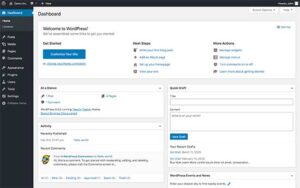
MASTERING THE WORDPRESS DASHBOARD: POSTS, PAGES, THEMES, AND PLUGINS
Navigating the WordPress dashboard for the first time was like exploring a vibrant city full of surprises. Today, let me walk you through its essential features:
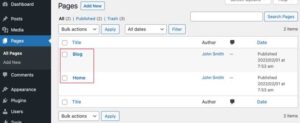
Posts and Pages: These are the foundation of your website. ‘Posts’ are dynamic entries in your site’s ongoing narrative (like blogs or news), while ‘pages’ are stable landmarks—such as the about page or contact page. I once turned ‘posts’ into chapters for a novelist’s ongoing book—an example of limitless creativity.
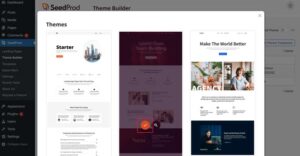
Themes: A theme defines your website’s appearance and visual identity. Choosing a theme is like dressing up for a special occasion. I’ve experimented with themes like outfits before a party, finally settling on one that perfectly reflects the brand’s voice. #Elementor #HelloTheme #IfYouKnowYouKnow
Plugins: Plugins are like accessories—they add functionality, flair, and features to your site. There’s a plugin for nearly every need. From SEO optimization to creating contact forms, plugins are often essential. One memorable experience was integrating an automatic currency converter for an international e-commerce store in just a few hours—thanks to the right plugin.
Let’s delve into these elements together and unlock the full potential of your WordPress experience!
IMPORTANCE OF CHOOSING THE RIGHT HOSTING AND DOMAIN NAME
Your website, no matter how elegantly designed, needs a home on the internet, and that’s where hosting steps in. Think of it like the plot of land where your dream house (website) is built. During my initial days, I made the rookie mistake of opting for a cheap, shared hosting provider. The result? Sluggish load times and an unhappy client. It was a lesson learned the hard way: quality hosting is non-negotiable.
Disclaimer – avoid Hostgator at all costs…they are incredibly slow. You can see what hosting I recommend at the bottom of this article.
And then there’s the domain name, the address to your home. It’s what people type into their browsers to visit you. I’ve had brainstorming sessions that lasted hours just to pick the perfect domain name. It’s more than just an address; it’s your brand’s first handshake with the visitors.
I like to purchase my domain names from Namecheap.com. I find them to be the cheapest for purchasing domain names, and you get extra privacy added in for free, at no extra cost (which you don’t get from websites like Godaddy.com).
My advice? Shop around a few different websites and find the one that’s the cheapest 🙂
For me, building a website is like crafting a masterpiece. With WordPress as our canvas and Elementor as our brush, we’re all set to paint the digital world with our creativity. Let’s dive deeper, step by step, ensuring every pixel resonates with purpose.
2. EMBRACING ELEMENTOR: YOUR BUILDING TOOL
INTRODUCTION TO ELEMENTOR: WHY IT STANDS OUT
During my early days in web development, I’d spend hours, sometimes even days and weeks, wrestling with code to bring my vision to life. It often felt like trying to paint with a calculator. Then, on a recommendation, I chanced upon Elementor, and my world shifted.
Pricing starts at $5 per month (billed annually), which is already cheaper than just one single, premium theme, yet it does soooo much more. Imagine being handed a magic wand in a world where you previously had to manually carve everything out of wood. Elementor is your magic wand, and its intuitiveness is what sets it apart.
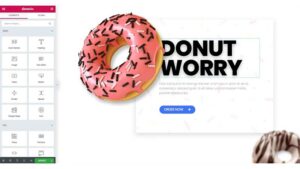
It empowers you to design in real time, witnessing the transformation right before your eyes. No more back-and-forth previews. No more guessing games.
Cafe owner, Beth, discovered this firsthand herself, as we sat down over coffee and tweaked her web design in real time. After just a couple of hours, the website was no longer just a page; it was an experience we had crafted together for her visitors.
Beth was also one of my first students, where she went on to learn how to design and build websites for herself and was always able to keep on top of her own web design needs for her own business.
BASICS OF ELEMENTOR: SECTIONS, COLUMNS, AND WIDGETS
Let’s break down the 3 foundations of the Elementor page builder:
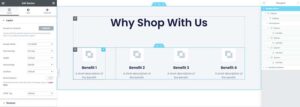
Sections: You can imagine sections as the broad strokes of paint on a canvas, defining the layout and structure. They’re the largest building blocks, and inside them, you house the finer details…
Columns: Within sections are columns, the partitions or the walls that segregate content. For a photography blog I once developed, columns helped place images next to their stories, creating a seamless narrative across the whole of the page.
Widgets: These are the intricate details, the furniture in our rooms, if you will. From text boxes to images, videos to buttons, widgets breathe life into the structure.
(N.B – Elementor is also experimenting with Flexbox and containers, which are great for responsive web design – which is due to be released soon)
GOING BEYOND BASICS: TEMPLATES, POP-UPS, AND THEME BUILDER
But Elementor isn’t just about building; it’s about evolving:
Templates: Why start from scratch when you can stand on the shoulders of giants? Templates are pre-designed pages or blocks that you can add to your page and then customise. I’ve often used them as inspirations, merging and tweaking them to fit the project’s unique requirements. For many projects I have taken on, I started with a template and within a few short hours I had a fully customised, ready-to-launch website.
Pop-ups: These aren’t the annoying ads you swat away. Crafted right, they’re engaging and valuable. I once integrated a pop-up for an NGO’s site, urging visitors to pledge their support. And guess what? Their conversions skyrocketed.
Theme Builder: Gone are the days of being restricted by themes. With Elementor’s Theme Builder, every part of your website, from the header to the footer, is under your creative control. Make sure you install Hello Theme by the Elementor team which is a super lightweight theme to go alongside your Elementor page and theme builder (don’t forget to use a child theme if you’re adding your own custom code!)
Tapping into Elementor and all of its core functionality is like unlocking a treasure trove of creative freedom. It’s the bridge between what you envision and what you create. As you become more proficient with practice, you’ll realise that every click, drag, and drop shapes the digital tapestry of every website you build.
And this brings us swiftly to one of my favourite topics – design and user experience (UX).
3. DEVELOPING DESIGN & UX SKILLS
THE IMPORTANCE OF GOOD DESIGN FOR USER EXPERIENCE AND SEO
I have eaten in highly regarded restaurants around the world that have looked completely unloved from the outside. Their exteriors can be unassuming, but step inside and you’ll be welcomed by a heartwarming ambience, award-winning customer service, and an aroma that will make you want to stay for hours. That’s exactly what good web design feels like – inviting, engaging, and delightful. A well-designed site can pull a visitor in, make them stay, and turn them into your biggest, most loyal fans.
However, it’s not just about aesthetics. Good design enhances user experience, navigating the visitor intuitively from one page to the next. And search engines? They also love it too.
An old client of mine once had a visually stunning website, but the navigation was a complete maze. I gave it a design overhaul, focusing on UX, and not only did the bounce rate drop, but its search rankings also shot up. The lesson? Search engine optimisation and web design are two sides of the same coin.
The same can be said for a solid internal linking strategy. Take Wikipedia as an example; you’ll notice that every page has many logical internal links to other related content. If you’re anything like me, you’ll notice you can spend hours clicking through and digesting all of the (sometimes pointless) information on the page. But maybe that’s just me. The point is, that search engines love this type of structure because it’s logical, it makes sense, and it’s great for ease of navigation for their visitors.
MOBILE OPTIMIZATION: ENSURING WEBSITES LOOK GREAT ON ALL DEVICES
We’ve all been here before. You’re out of the house on a busy day and browsing the internet on your phone. You go to visit your favourite blog and as it loads, the design looks broken, or the text is too small, or things just don’t work on a small screen as you’d expect. Remember, in a world constantly on the move, mobile optimization isn’t a luxury; it’s a necessity.
Whether it’s someone checking a recipe on their tablet in the kitchen or a student browsing on their phone during a commute, your website should adapt seamlessly. With Elementor’s responsive design settings, I’ve turned websites from static pages to dynamic experiences, catering to every screen size. It’s a game-changer, especially when you consider that over half of the global web traffic comes from mobile devices.
As an aspiring freelance WordPress and Elementor developer, you should know that good design isn’t just about what’s pleasing to the eyes, but what resonates with the heart. It’s the silent storyteller of your website, whispering tales to every visitor. As you sculpt your websites, you should pledge to make each design decision a step towards creating a harmonious symphony of visuals and experiences.
4. BUILDING A PORTFOLIO:
THE IMPORTANCE OF SHOWCASING YOUR WORK
I often liken my early days in web development to that of an artist’s humble beginnings. Each project, no matter how small, was another brushstroke on the canvas of my journey. But it isn’t enough to merely create; you need to showcase. A portfolio is to a web developer what a gallery is to an artist — a curated space of accomplishments and abilities where you can show off your biggest, baddest and boldest designs and all of their complexities.
In my early days, without my own portfolio site, my work would’ve been whispers in a bustling marketplace. But with it, my previous projects became compelling stories. Prospective clients could witness not just my skills, but my evolution. The very first major project I landed was through a client who, while browsing my portfolio, was particularly impressed by a non-profit site I had developed just a few months earlier. The portfolio became the bridge between my abilities and their vision.
TIPS ON CREATING YOUR PERSONAL BRAND
Discover Your Unique Voice: Just as no two artists have identical brushstrokes, your designs should echo your unique voice. Reflect on what sets you apart. Is it minimalist designs? Or perhaps vibrant and interactive pages? Embrace that identity.
Craft a Memorable Logo: When I decided to step up my branding game, my logo became my emblem. It was more than just a symbol; it was the embodiment of my brand’s ethos. Seek inspiration, doodle, iterate, and when that spark of creativity strikes, you’ll know your logo is ready.
Narrate Your Journey: Personal anecdotes, challenges overcome, and victories celebrated — these are stories that humanize your brand. My ‘About Me’ section isn’t just a bio; it’s a tapestry of experiences that led me to web development.
SETTING UP YOUR OWN PORTFOLIO WEBSITE USING ELEMENTOR
Setting up your first portfolio site should be full of excitement and anticipation. With Elementor, the process isn’t just efficient but thoroughly enjoyable. Not sure how to build a portfolio website? You can learn to build a super creative agency website in my course ‘Advanced WordPress & Elementor – Build Dynamic Websites’. Want a discount? Use my Learn With Me page which has money-off coupons already applied.
Outside of that, how should you get things started?
Choose the Right Template: Elementor boasts a myriad of portfolio templates. For a massive head start, you can use template libraries such as Templately, which I often use to get things off the ground, saving me hours, if not days, of work designing and building pages.
Integrating Projects: Using sections and widgets (or containers if you’re already working with them), I meticulously curate my projects, giving each a dedicated space. High-quality images, brief project descriptions, and challenges faced added depth to each showcase. If you’re familiar with Custom Post Types (CPTs), you can even set up each project as its own custom post and then dynamically display these across your pages. We build this website together in my course ‘Advanced WordPress & Elementor | Build Dynamic Websites’)
Incorporating Testimonials: Nothing speaks louder than a satisfied client. Integrate a slider widget to display client testimonials, adding credibility to your work.
Connect with Your Audience: An interactive contact form, links to your social media, and a blog section to share insights and updates. It’s crucial to not just display your work but also to engage and connect with your audience. Build relationships and a foundation of trust through your content and outreach, and you will never be short of clients knocking on your door.
Building a portfolio is more than just a compilation of work; it’s the chronicle of your journey and the testament of your growth. As you step into the vast realm of web development, remember…every project you undertake is a page waiting to be added to this chronicle. Craft it with care, passion, and a dash of your individual and unique flair.
5. CLIENT ACQUISITION AND THE SALES FUNNEL:
IDENTIFYING YOUR TARGET MARKET
I was always eager to take on any project that came my way. However, over time, I realized that in the vast sea of potential clients, there were certain fish I was particularly good at catching. Identifying a target market is akin to discovering your niche – it’s about understanding where your passion intersects with demand.
To hone in on my target market, I always:
Review Past Projects: Recognise the industries or types of businesses you enjoy working with. Not got any past projects? Get on Google maps and search for local businesses that don’t have a website. You can reach out to these businesses by email or phone asking if they would like a brand new website for a fee…or even for free so you can get started. This way, you get a bit of practice and a positive testimonial for your portfolio website at the end of it. Just have them cover the costs of the hosting, domain name, Elementor subscription etc.
Research Market Needs: By staying updated with industry trends and business forums, you can find specific needs that resonate with your skill set.
Refine Your Offerings: Once you have clarity on your target market, you can tailor your services to cater specifically to them, increasing both appeal and efficiency.
Resonate With Your Audience: Now you know who your target market is, you can build landing pages and email automation that speak directly to your audience, with messages and language that is so crystal clear, that they can do nothing but reach out to you for your help!
BUILDING AN ONLINE PRESENCE: BLOGGING, SEO, AND SOCIAL MEDIA
Your online presence is your digital storefront. And just like my favourite coffee shop with its inviting aroma and visible signboard, your online presence should be welcoming and easily discoverable too.
Blogging: This became my platform for sharing insights, tips, and case studies. Not only did it position me as an industry expert, but it also increased my website’s SEO ranking. One article I wrote on “Responsive Design in the Modern Age” caught the attention of a small tech firm, leading to a very rewarding partnership for me and my team. DO not underestimate the importance of a strong content marketing strategy.
SEO: I viewed Search Engine Optimisation as the compass that led potential clients to my digital doorstep. By integrating relevant keywords, optimising page speeds, and ensuring mobile-friendliness, I saw a steady increase in organic website traffic direct from the search engine results pages (SERPs)
Social Media: Platforms like LinkedIn, Twitter, and even Instagram became instrumental in networking and showcasing snippets of my work. Regular posts, engaging content, and active participation in community discussions will amplify your reach.
Even if you don’t feel like the expert within your niche just yet, that’s fine. You need to fake it until you make it. You only have to know more than the person you are selling your services to, and they will perceive you as an industry expert.
CREATING A SALES FUNNEL FOR LEAD GENERATION: CAPTURE, NURTURE, AND CONVERT
Every prospective client is on a journey, and your sales funnel is the guide that directs them.
Capture: First impressions matter. Through compelling landing pages, interactive pop-ups, and sign-up incentives (like free web design tips or e-books), you can effectively capture leads just as I did. Tools within Elementor, such as the form widget, facilitated this step. Combine this with your favourite email marketing software (I use Brevo – incredibly powerful and by far the most affordable) to build out lists and email automation, and you are on your way to building solid relationships with your prospects and hopefully one step closer to converting them to a paid client.
Nurture: A lead is like a toddler, requiring consistent care to grow. Through automated email campaigns, personalized content, and regular updates, I nurture and cradle these relationships through storytelling and added-value content, sharing things like tips and tricks and answering FAQs. Sharing success stories, client testimonials, or even a behind-the-scenes look at a recent project can create a bond of trust too.
Convert: Turning a lead into a client is the art of persuasion. Tailored offers, timely follow-ups, and showcasing the value you can bring to the table as WordPress developers will be pivotal in your success. I have had several hesitant clients that I was able to win over by offering mini mock-ups of what their website could look like. It visualized the potential and paved the way to many sealed deals.
Acquiring clients is more than just a transaction; it’s the beginning of a partnership. By understanding your audience, creating a compelling digital presence, and guiding leads with care and authenticity, you pave the way for lasting collaborations.
6. PRICING AND PROPOSALS:
SETTING YOUR RATES: PER PROJECT VS. HOURLY
One of the first large-scale projects I started spanned several weeks to complete. I was so excited to have won them over, that I jumped on board without a clear pricing structure and, by the project’s end, felt both overworked and underpaid. What should have been a fun and engaging project turned out to be a headache and a bucket load of stress. It was a wake-up call, emphasizing the need for a clear pricing strategy.
For anyone wondering how to be a freelance WordPress developer, you’ve most likely thought about how you would price the projects you’re going after. So let’s explore the 2 main choices you’ll likely be working with;
Per Project: This approach allowed me to estimate the overall scope, resources, and time the project would demand. For projects with clear boundaries and deliverables, like creating a landing page or an e-commerce site with a set number of product listings, this method proves effective. A lot of my clients actually preferred this method, stating it provided clarity and assurance on the investment they were making.
Hourly: For projects with a more fluid scope or those requiring ongoing maintenance, I adopt an hourly rate. It reflects the value of my time and expertise, as it should yours. An entrepreneur once approached me, wishing to continually tweak their website based on their user feedback (funny enough, they were also an online coach just as I am, only they didn’t have the same skillset as me). The hourly rate was perfect, ensuring fairness to both parties, and I would bill them solely on the hours I would work on their website for any given month.
CRAFTING EFFECTIVE PROPOSALS AND CONTRACTS
An artfully crafted proposal is your foot in the door, while a robust contract is the foundation of a hassle-free collaboration.
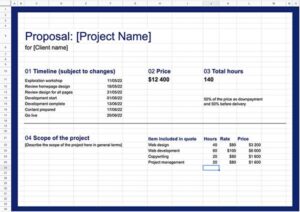
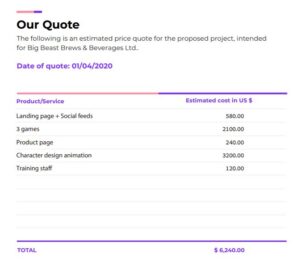
Proposal Elements: Begin with understanding the client’s needs, relaying these back to them, and then followed by outlining the solution you offer. Highlight past relevant projects, set a clear timeline, and provide a detailed cost breakdown. Remember to inject a bit of your personal brand, perhaps with a success story or a unique design touch you bring to the table.
Contract Essentials: Clearly define the scope of work, payment terms, timelines, intellectual property rights, and confidentiality clauses. One invaluable lesson I learned was to always include a clause detailing the number of revisions included and additional costs for extra iterations.
HANDLING REVISIONS AND FEEDBACK
Feedback is the bridge between your vision and the client’s expectations. It’s crucial, but can sometimes be a tightrope walk.
Set Clear Boundaries: From the outset, specify the number of revisions included in the initial cost. This sets expectations and ensures you’re compensated for additional work.
Open Communication: Always approach feedback with an open mind. Once, a client’s critique initially stung, but on reflection, I realized it added immense value to the project. Open dialogue fosters understanding and collaboration.
Provide Design Rationale: Occasionally, clients may question certain design choices. I remember defending a particular colour scheme, explaining its alignment with the brand’s voice and target audience’s psychology. Equipped with this rationale, clients often appreciate the depth of your expertise.
Pricing and proposals aren’t just about numbers and formalities. They reflect the value you offer and pave the way for transparent, respectful collaborations. Every negotiation, every feedback session, moulds you into a more astute and adept web developer. Embrace them as stepping stones in your expansive journey.
7. MANAGING CLIENT PROJECTS:
USING TOOLS LIKE TRELLO OR ASANA FOR PROJECT MANAGEMENT
My introduction to Trello was a game-changer. Before that, my projects were managed through a medley of emails, notes, and calendar reminders. While this worked to an extent as a one man team, it wasn’t scalable as I brought in other freelancers on a per-project bais. As those projects grew in complexity, you too will need a more organized approach.
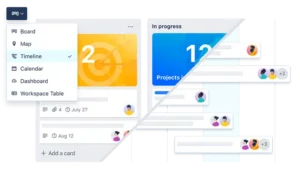
Trello: Think of Trello as a digital board filled with post-it notes (called cards). Each card represented a task. By categorizing them under lists like ‘To Do’, ‘In Progress’, and ‘Completed’, I could visualize the project’s flow. Sharing this board with clients provided them with real-time updates. I still remember one comment from a client saying that working with my team and Trello for their project felt like watching a live show of their website come to life!
Asana:Asana, on the other hand, is great for more intricate projects. With features to set dependencies, assign multiple team members, and even view tasks in a calendar or timeline format, it offers a huge amount of depth for scaling and complex teams.
KEEPING OPEN COMMUNICATION: REGULAR UPDATES AND FEEDBACK SESSIONS
Communication is the lifeblood of any collaboration. Over the years, I’ve found that clients appreciate transparency, even if it’s to convey a setback.
Scheduled Updates: Set regular checkpoints, perhaps weekly or bi-weekly, to update clients on progress. This not only keeps them in the loop but also helps in early identification of any misalignments or required changes.
Feedback Sessions: These are distinct from updates. This is where you present a completed section or feature and invite client input.
ENSURING TIMELY DELIVERY
There’s an adage I always abide by: “Under-promise and over-deliver.” Meeting deadlines isn’t just professional; it builds trust.
Buffer Time: I’ve learned, sometimes the hard way, that unforeseen challenges can always arise, no matter how confident you feel. Always allocate a buffer in your timelines. It’s better to surprise a client by delivering early than to scramble at the last minute.
Prioritise Tasks: Using the Eisenhower Box (a matrix sorting tasks by urgency and importance) I would sort what needs immediate attention versus what can be scheduled for later.
Stay Motivated: During a particularly vast project, I felt overwhelmed. Breaking the project into smaller milestones and celebrating each completion kept the momentum going and ensured I stayed on track. As your projects grow in scale, I recommend to all aspiring developers to do the same. Small wins like this are great for mental health and success!
Managing client projects is an art and science combined. It requires meticulous planning, agile adaptability, and above all, a commitment to delivering excellence. Through each project, you not only sculpt websites but also carve your reputation in the industry. Approach it with passion, precision, and a touch of personal flair.
8. AFTER SALES SERVICE & MAINTENANCE:
IMPORTANCE OF POST-LAUNCH SUPPORT
Imagine crafting an exquisite timepiece; it’s elegant, functional, and the epitome of precision. Now, imagine handing it over without any guidance on upkeep. Websites, akin to these timepieces, require ongoing care to continue shining.
Any good freelance WordPress developer will tell you – the weeks following a website’s launch are absolutely critical. Users interact, traffic ebbs and flows, and the client begins to truly inhabit the digital space you’ve sculpted. It’s during this time that any glitches, no matter how minor, need swift rectification. My clients have often expressed profound gratitude for the proactive support during this phase, labelling it as the “safety net” that gave them the confidence to venture online. I would combine my own WordPress & Elementor video tutorials (much like what I teach to my students today, only more simplified) for basic updates and maintenance for clients, and they always loved it.
SETTING UP MAINTENANCE PACKAGES FOR REGULAR UPDATES, BACKUPS, AND SECURITY CHECKS
Over time, I realized that offering structured maintenance packages for those that wanted a complete ‘hands-off’ approach to their website, was beneficial for both my clients and for me and my team. It ensured a consistent revenue stream while providing clients with the assurance of ongoing support.
Regular Updates: Platforms, especially WordPress, regularly release updates. I’ve had instances where an outdated plugin caused functionality issues. Regular updates ensure compatibility and optimal performance.
Backups: I can’t stress this enough. A client once faced a nightmare scenario where their website was hacked and the site was compromised. Thanks to routine backups, we could swiftly restore it, minimizing downtime. Regularly scheduled backups are the safety net every website needs.
Security Checks: With cyber threats constantly evolving, periodic security audits are imperative. These checks have thwarted potential vulnerabilities and safeguarded my client’s digital presence.
HANDLING FEEDBACK AND REVISIONS POST-LAUNCH
Once the website is live, real-world user interaction can offer insights that weren’t apparent during the development phase.
Feedback Channels: I encourage clients to gather feedback, maybe through online forms or social media. This direct user input is invaluable.
Scheduled Revisions: Instead of sporadic changes, I advocate for periodic revision sessions. It allows for a consolidated approach to updates, ensuring consistency and minimal disruptions.
In the world of web development, launching a new, sparkly website is much like a ship’s maiden voyage. The real journey, filled with adventures and challenges, begins post-launch. Your commitment to after-sales service is the lighthouse guiding this ship, ensuring it sails smoothly, weathering all storms.
Treat post-launch support not as an obligation, but as an opportunity to fortify relationships, enhance your creations, and anchor your reputation in the industry.
9. SCALING YOUR BUSINESS:
WHEN AND HOW TO OUTSOURCE
There’s a reminiscent moment I often share with budding developers. I was swamped with projects, losing sleep, and yet barely meeting deadlines. Then, after way too many weeks that I would rather admit, I had a serious conversation with myself and asked: “Why am you trying to be a one-person orchestra?”.
You can (and absolutely should) bring in other developers to support you as you begin to scale. Without this support, you’ll end up losing sleep and you will burn yourself out as you begin to gain more clients.
Outsourcing isn’t about diluting quality; it’s about amplifying your capabilities. So how do you know when you need to start bringing in this much needed support?
When: If projects overlap, deadlines tighten, or new inquiries get shelved due to time constraints, it’s a glaring sign it’s time to bring in support. Another indicator is if you’re spending excessive time on tasks outside your core expertise which can ultimately be outsourced.
How: Start by identifying tasks that can be delegated: perhaps content writing, graphic design, or even specific coding aspects. Platforms like Upwork or Toptal can connect you with seasoned freelancers. Remember, communication is key. Establish clear guidelines and maintain open channels to ensure a cohesive output.
N.B As you scale, you will want to focus on the ‘money tasks’ within your business. It is your job as the business owner to bring in new paying clients, so channel your time on moving the needles that bring in the most clients and money. The rest can often be outsourced.
EXPANDING SERVICES: SEO, CONTENT WRITING, OR DIGITAL MARKETING
So know we have answered the question “How do I become a freelance wordpress developer?”, we can start to explore additional monetisation opportunities you can implement as you begin to scale.
With a broader skill set, you can offer clients an all-encompassing digital package. It’s not just about the website’s aesthetics and functionality but its visibility and engagement. Below are additional services you might want to consider offering (or ‘bolt-on’ to the development side of the project as an extra);
SEO: A stunning website with weak SEO is a hidden gem lurking in the cobwebs of the World Wide Web. Integrating SEO services ensures your creations are easily discoverable, ranking higher on search engines.
Content Writing: Good content resonates, informs, and compels action. Offering content services ensures the website is not just visually captivating but also intellectually engaging.
Digital Marketing: Venturing into digital marketing can amplify a website’s reach through targeted campaigns. It’s the bridge connecting the website to its intended audience.
KEEPING UP WITH INDUSTRY TRENDS AND CONTINUING EDUCATION
The digital realm is dynamic, with innovations sprouting ceaselessly. Staying relevant is imperative.
Webinars & Workshops: Make it a point to attend at least one webinar or workshop a month or at least 3 or 4 a year. These sessions can offer fresh perspectives, introduce emerging tools, and refine existing skills.
Certifications: Platforms like Udemy offer courses tailored to the latest industry trends. Acquiring certifications not only bolsters your skills but also adds credibility to your portfolio. Looking to expand on your web dev skills? I can show you how through Udemy courses.
Networking: Engaging with the web developer community, whether online or offline, is enlightening. I remember a casual conversation with a guy at a co-working space in Tenerife who introduced me to a handful of plugins I could use for a project I was working on and it dramatically improved the who build of that project. Don’t forget to look up from your screen sometimes and engage with the people around you if you like to use shared workspaces like I do.
Scaling is not just growth in volume but elevation in vision. It’s about recognizing opportunities, leveraging strengths, and continuously evolving to meet the ever-shifting demands of the digital landscape. With each new skill, each outsourced task, and each absorbed trend, you don’t just scale a business; you sculpt a legacy. Embrace the journey with an open mind, a keen eye, and an insatiable thirst for knowledge. That has been my approach to business since I left school at 18…and it pays in dividends.
FINAL WORDS
As we draw towards the end of this article, I’ve found myself casually reminiscing about my initial days as a WordPress Developer — grappling with CSS, programming PHP, wrestling with designs, and feeling the heady exhilaration of my first few websites going live. The journey from there to here – from a fledgling developer to a successful mentor – has been nothing short of transformative.
REFLECTING ON MY OWN JOURNEY OF GROWTH
The world of WordPress development isn’t just about building websites; it’s about crafting digital experiences. Each project – each challenge – has been a brick in the edifice of my professional journey. From midnight coffee-fueled coding sessions to the euphoria of client accolades, every moment has been a mosaic of learning, growth, and passion.
I still learn something new with almost every new project I take after all these years. This is what I love about what I do, and it is this that gets me excited with every new website I come to design and build.
ENCOURAGING CONSTANT LEARNING AND ADAPTATION IN THE TECH INDUSTRY
In an industry as dynamic as ours, stagnation is the true antagonist. Technology evolves, design trends shift, and user expectations rise. In this maelstrom, the ability to adapt and evolve is our most potent tool. Whether it’s mastering a new plugin, understanding the nuances of emerging design philosophies, or even relearning fundamentals from a fresh perspective, staying inquisitive is the beacon that’ll guide you through the fog of obsolescence.
Subscribe to your favourite YouTube channels, blogs, and social media accounts, because staying at the forefront of all this tech and shifting trends without these can be a real challenge. The good news – if you’re even half the geek that I am when it comes to this, then staying ahead of the curve will actually be fun and you will feel like you will never have worked another day for the rest of your life.
CALL-TO-ACTION FOR STUDENTS TO TAKE THE FIRST STEP
To all the budding WordPress developers reading this, remember: every expert was once a beginner. The path ahead might seem strewn with challenges, but each obstacle is a stepping stone in disguise. Start with that first drop of a widget, your first line of CSS, that first design draft, or even that first client meeting. As the adage goes, “The journey of a thousand miles begins with a single step.”
Don’t just dream of the destinations you wish to reach; revel in the journey. Every mistake, every success, every detour is a chapter in the epic saga of your growth. So, grab your tools, fuel your passion, and take that leap. The digital canvas awaits your masterpiece 🙂
ADDITIONAL RESOURCES:
RECOMMENDED PLUGINS & SOFTWARE FOR WORDPRESS & ELEMENTOR
Over the years, certain plugins have stood out, enhancing functionality, boosting performance, and elevating user experience. Here’s a handpicked selection:
WP Rocket: For website optimization and caching, this is a game changer. It dramatically improves site speed.
Rank Math: An invaluable tool for optimizing your website’s SEO.
Elementor Pro: The paid version unlocks a suite of advanced widgets, theme builder capabilities, and more.
Imagify: Ensures images are optimized without compromising quality. Made by same guys as WP Rocket
UpdraftPlus: Reliable backup solution. A lifesaver in emergencies.
Brevo:Most affordable email marketing software available and super powerful automation
Hosting accounts I currently use and recommend;
Hostinger: The cheapest hosting with great speeds and a lot of bang for your buck
Siteground: great, budget-friendly plans and awesome customer support
WPX: Award-winning managed WordPress hosting for the fastest hosting speeds on test and customer service that respond within seconds
ONLINE COURSES AND CERTIFICATIONS
Embracing continuous learning has been pivotal for me when it comes to staying ahead of the curve. I always felt that if I wasn’t learning something new each month, then I would stagnate, and as I look back now, I can see that this mindset really served me well when it came to finding success with my online businesses and agency websites.
Almost everything that I have come to know today about web development, WordPress, SEO and digital marketing, has almost always started on Udemy. The platform and the instructors there really have taught me so much, and now that I am also a prominent instructor on the platform myself, I kind of feel like I get the chance to ‘give back’ to a platform that really done good for me…and I love it.
What I am trying to say in a long, roundabout way is that you should never stop learning either. Let’s say you have taken a handful of my WordPress courses already – you can always take a third one, a fourth one, and a fifth one and learn how to build a completely different kind of website, with completely different functionalities, or digital marketing strategies you had never even thought off before.
No, I am not trying to upsell you on my own additional courses. You can learn from any highly-rated instructor on the platform, and I also recommend that you do so that you get a different angle or viewpoint on how you can do things. This is what I did and I would recommend anyone else do the same.